How to get a renters insurance quote
Start a Goodcover renters insurance quote with your ZIP code, choose your coverage and deductible, add item coverage, and review everything before you buy.
Start a Goodcover renters insurance quote online and choose the coverage you want for your home. You can review your price and options before deciding whether to buy.
Start with your ZIP code
Go to the Goodcover quote page, enter your ZIP code, and select Start. You can also start from the ZIP code box on the Goodcover home page. Availability and coverage options depend on where you live.
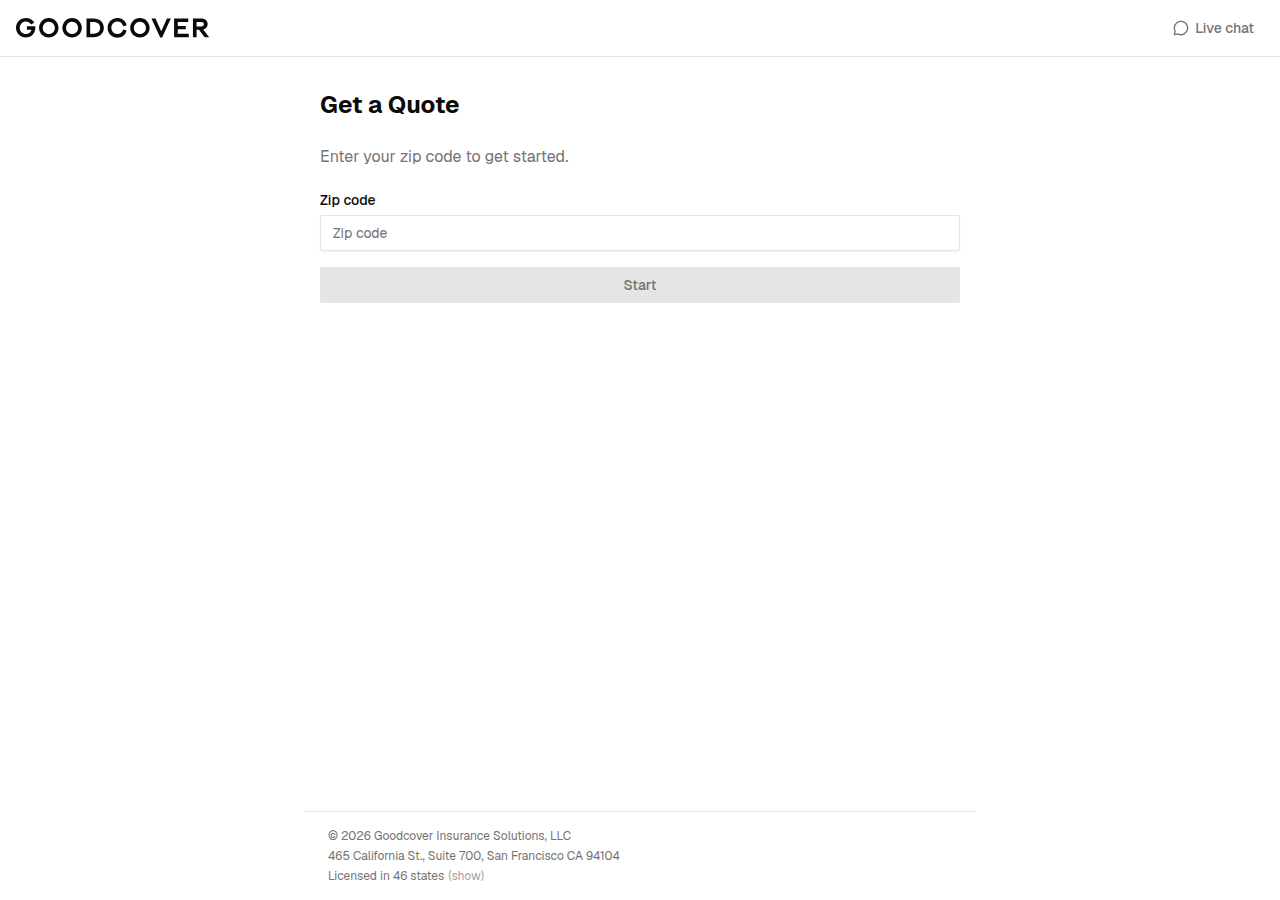
Enter the ZIP code for the home you want to insure.
Enter the home you want to insure
Enter your rental address, including your apartment or unit number if you have one, and check that the suggested address is correct before you select Continue.
You will be asked whether you are a landlord buying coverage for tenants. If you are getting renters insurance for your own home, answer No.
Choose your standard coverage
The Standard Coverage screen shows your monthly premium at the top and lets you review your coverage amounts and deductible. Depending on where you live, it may include:
- Personal Property — coverage for your belongings, subject to your policy's terms and limits.
- Liability — coverage for certain claims against you for injury or property damage.
- Deductible — the amount you pay toward a covered loss where a deductible applies.
- Loss of Use, Medical Payments, and Water Backup options.
Use the minus and plus buttons to adjust the amounts and watch the premium update. Select Continue when you are ready.
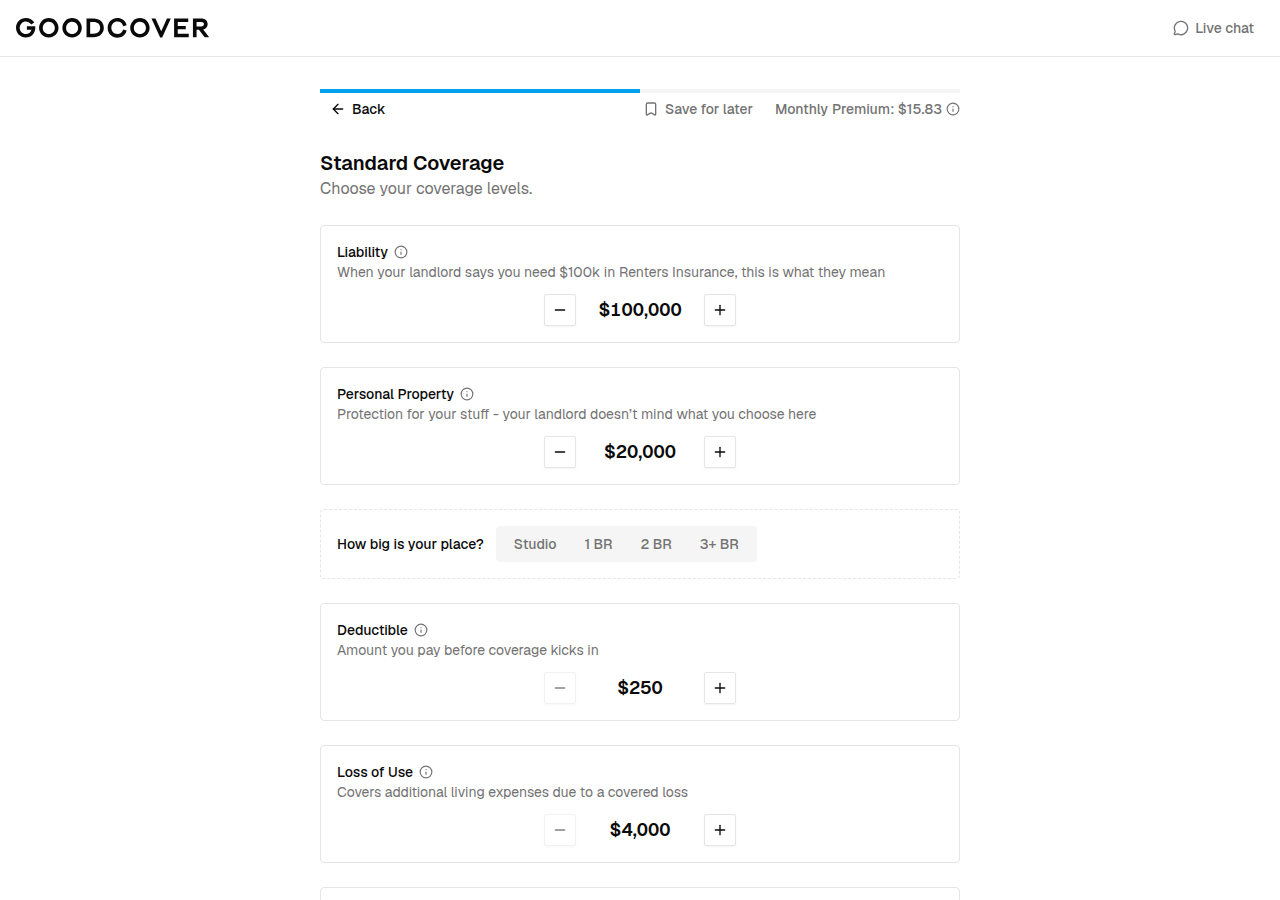
Illustrative test quote. Your price and available coverage options may differ.
The screenshots in this guide show an illustrative test quote. Your price and available options may differ. A quote is not a guarantee of eligibility or that a particular loss will be covered; your policy documents explain the coverage, exclusions, and limits that apply.
Review item coverage
On Item Coverage, you can switch on upgraded coverage for belongings such as Jewelry & Watches, Cameras, or Musical Instruments. The options can vary by state. Choose the ones that fit your needs, then select Continue.
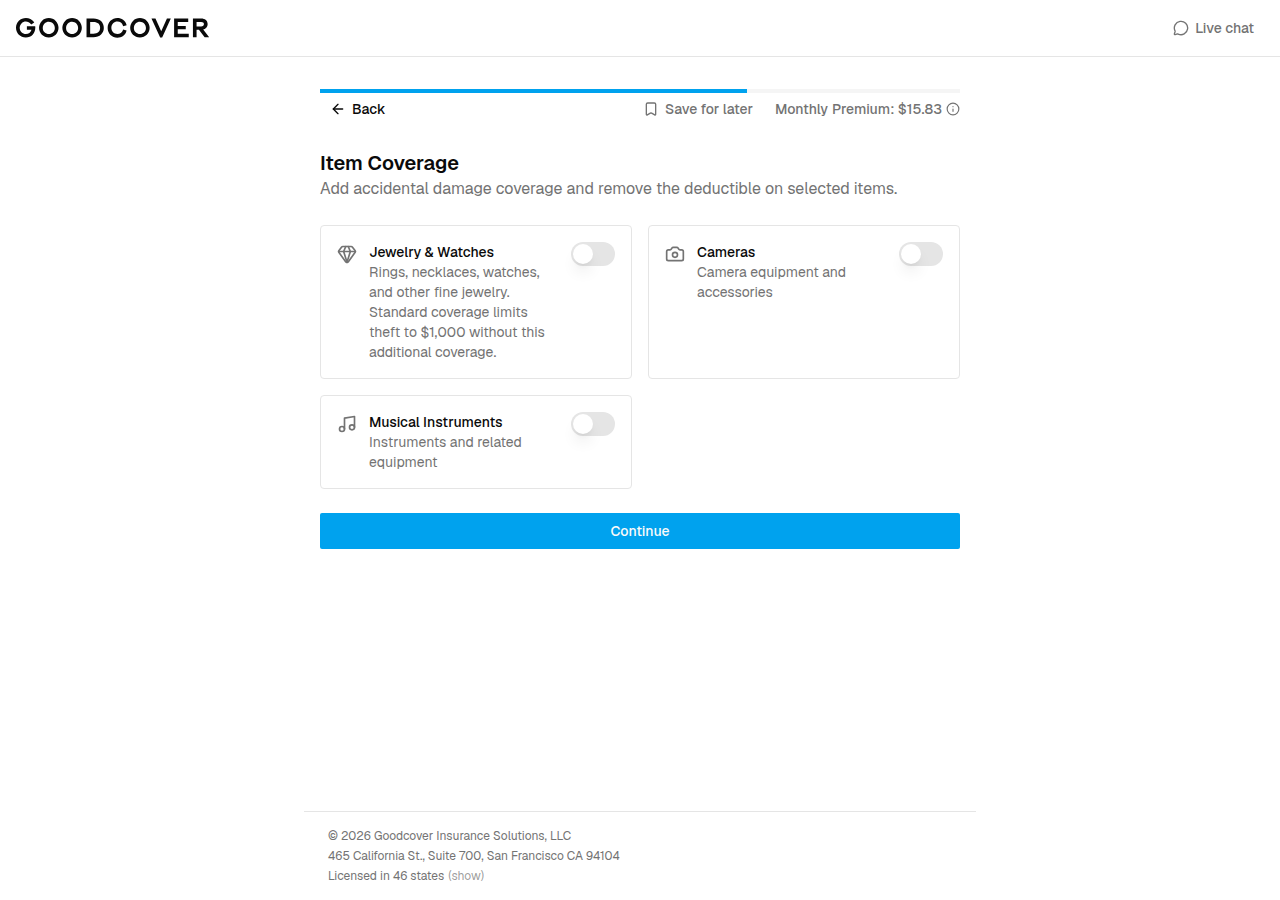
Illustrative test quote showing item coverage options. Availability varies.
Complete your information
On Your Information, enter your first and last name, phone number, email address, and date of birth. Answer the Named Insureds question — choose Yes if you want to add another person, such as a spouse or partner, to the policy (see How to add or edit a spouse or partner on your policy) — and read the certification before you continue.
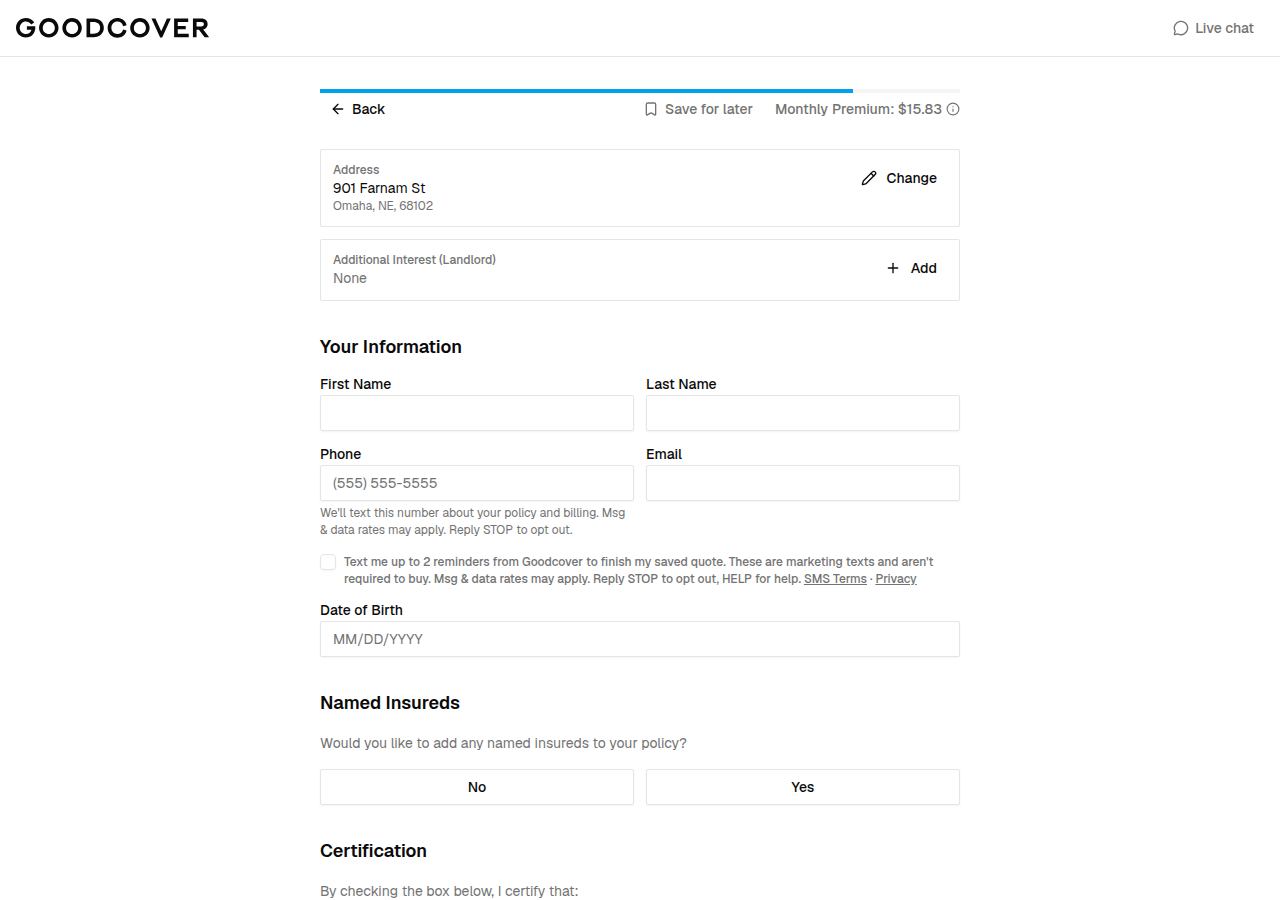
Example quote form. Enter your own accurate details for a real quote.
Use your own accurate details when getting a real quote. The screenshots in this guide use test data and do not represent an actual member or policy.
Review before you buy
On the final screen, choose a Billing Cycle (monthly or annual), set your Policy Start Date, enter a Payment Method, and accept the electronic communications and terms of service. When everything looks right, select Start my coverage.
After a successful purchase, the confirmation says Great, You're Covered! Select View Your Dashboard to find your new policy, download your documents, and manage billing. See How to navigate your Member Dashboard for a tour.
Starting a quote alone does not activate insurance: check your confirmation, coverage start date, and policy documents after you buy.
Frequently asked questions
Is the price in the screenshots what I will pay?
No. The screenshots show an illustrative test quote. Your price depends on your address, the coverage amounts and deductible you choose, and the options available where you live.
Can I save my quote and come back later?
Yes. The quote screens have a Save for later option at the top so you can return to your quote.
What happens after I buy?
You see a confirmation that says Great, You’re Covered! Select View Your Dashboard to open your Member Dashboard, where you can download your policy documents and manage billing.